Key Takeaways
- Centralize your documents from Notion, Google Drive, and SharePoint effortlessly using n8n workflows.
- Automatically classify files by type and convert non-PDF formats to PDF with CloudConvert integration.
- Leverage AI-powered OCR and summarization to extract key insights from images and PDFs.
- Apply controlled AI lexicons for consistent, automated document tagging and easy filtering.
- Sync enriched documents back into Notion with summaries and labels for streamlined access.
Learn how to use n8n with AI and CloudConvert to automate document downloads, OCR, summarization, tagging, and syncing across Notion, Google Drive & SharePoint.
Why Automate Document Operations?
Managing documents spread across multiple platforms like Notion, Google Drive, and SharePoint can quickly become overwhelming. Disorganized files hamper productivity, slow down collaboration, and make it difficult to find critical information when needed. Automating DocOps streamlines this process, reduces manual effort, and improves organizational efficiency.
Building a DocOps Automation with n8n
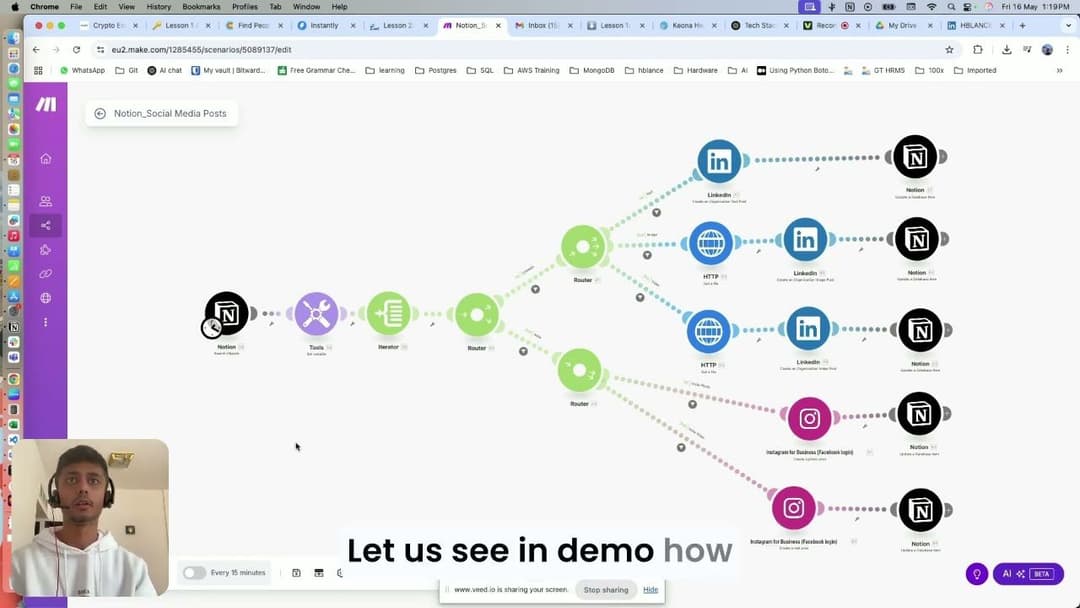
n8n is an open-source automation tool that enables powerful workflow integrations without complex coding. In this setup, n8n orchestrates the entire document lifecycle — from downloading files across platforms to processing and syncing them back into Notion.
Step 1: Downloading Documents from Multiple Sources
The workflow pulls documents directly from Notion, Google Drive, and SharePoint, ensuring all files are collected in a centralized pipeline.
Step 2: Classifying Files by Type
Once downloaded, documents are automatically classified into common file types such as PDFs, images, PowerPoint presentations (PPT), CSV files, and Excel spreadsheets (XLS). This classification guides subsequent processing steps.
Step 3: Converting Documents to PDF
Files in formats like PPT, Excel, and CSV are converted to PDF using the CloudConvert API. PDF normalization simplifies further processing, enabling consistent handling regardless of original format.
Enhancing Documents Using AI Summarization and OCR
After conversion, documents undergo AI-powered processing to extract meaningful content and metadata.
Optical Character Recognition (OCR) for Images
Images containing text are processed through OCR technology to convert visual text into searchable, editable content.
AI-Powered Summarization for PDFs and Logs
Complex documents and logs are summarized automatically using AI, creating concise overviews that highlight key points and insights.
Automated Tagging and Synchronization Back to Notion
To enhance searchability and organization, an AI-driven controlled lexicon tags each document with consistent labels. Finally, enriched documents — complete with summaries and tags — are synced back into a centralized Notion database, creating a comprehensive, searchable index for your team.
Frequently Asked Questions
How does n8n help manage documents from different platforms?
n8n automates the process of downloading, processing, and syncing documents from multiple sources like Notion, Google Drive, and SharePoint into a centralized location for easier management.
What role does CloudConvert play in this document automation?
CloudConvert converts non-PDF formats such as PowerPoint, Excel, and CSV files into standardized PDF format, simplifying subsequent AI summarization and OCR processing.
How does AI improve document handling in this workflow?
AI performs text extraction via OCR for images and generates concise summaries for large documents, enhancing searchability and understanding without manual review.
Can this automation help teams with large document repositories?
Yes, by centralizing, summarizing, and tagging documents automatically, teams can efficiently navigate and manage extensive internal knowledge bases and operational documents.
Explore Our Case Studies
Explore how we collaborate with B2B partners to upscale their marketing activities
View Case Studies